The Coordinate System
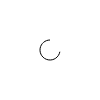
The coordinate system is based on the top-left corner of the sketch and the canvas is 100 pixels wide by 100 pixels high. There are two built-in variables WIDTH and HEIGHT. To make calculations easier. You can not change the canvas size!
Color and Drawing Functions
Below you see a two tables of all color and drawing functions. As you can see the fill and storke functions take different kinds of color definitions.
| Function | Description | Default |
|---|---|---|
fill("white"); |
Set fill color for shapes with named color | White (100, 0, 0) |
fill("#ffffff"); |
Set fill color for shapes with hex color | White (100, 0, 0) |
fill(l, c, h); |
Set fill color for shapes | White (100, 0, 0) |
fill(l, c, h, a); |
Set fill color with alpha (0-100) | — |
noFill(); |
Disable fill | — |
stroke("black"); |
Set stroke (outline) color | Black (0, 0, 0) |
stroke("#000000"); |
Set stroke (outline) color | Black (0, 0, 0) |
stroke(l, c, h); |
Set stroke (outline) color | Black (0, 0, 0) |
stroke(l, c, h, a); |
Set stroke color with alpha (0-100) | — |
noStroke(); |
Disable stroke | — |
strokeWidth(weight); |
Set stroke thickness in pixels | 1 |
| Function | Description |
|---|---|
point(x, y); |
Draw a solid round point centered at (x, y) |
line(x1, y1, x2, y2); |
Draw line from (x1, y1) to (x2, y2) |
rect(x, y, width, height); |
Draw rectangle, (x, y) is top-left corner |
circle(x, y, radius); |
Draw circle centered at (x, y) |
ellipse(x, y, width, height); |
Draw ellipse centered at (x, y) |
triangle(x1, y1, x2, y2, x3, y3); |
Draw triangle with three vertices |
quad(x1, y1, x2, y2, x3, y3, x4, y4); |
Draw quadrilateral with four vertices |
arc(x, y, radius, startAngle, endAngle); |
Draw open arc (degrees, 0 = right, clockwise) |
Strokes
Strokes are defined by a color and its width. You can set the color using the stroke(color) command. The default is a black stroke with a width of 1px.
// seee the color section of the documentation to learn more about how to define colors.
stroke("black");
strokeWidth(1);
// without an element to target this sketch actually makes no sense. Therefore we omit an image here.
To disable a stroke, you can use the noStroke() command.
Fills
To fill an element with a color you use the fill(color) command. The default is a white fill.
fill("white");
// without an element to target this sketch actually makes no sense. Therefore we omit an image here.
to disable a fill, use the noFill() command.
Background
To set the background color of the sketch, use the background(color) command. It can be used at any "time" to clear the sketch. This becomes useful in conditional drawing for example. The default sketch background is white.
background("white");

Points
A point is a single coordinate on the canvas. It is declared using the point keyword and gets passed the x and y coordinates as arguments. The points size is controlled by the strokeWidth(width) command.
point(50, 50);
Lines
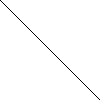
A line is a straight connection between two points. It is declared using the line keyword. It gets passed the x1 and y1 coordinates of the start point and the x2 and y2 coordinates of the end point as arguments.
line(0, 0, 100, 100);
Circles
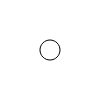
A circle is a circular shape. It is declared using the circle keyword. It gets passed the x and y coordinates of the center point and the radius as arguments.
circle(50, 50, 10);
Ellipses
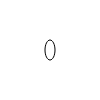
An ellipse is a circular or oval shape. It is declared using the ellipse keyword. It gets passed the x and y coordinates of the center point and the width and height as arguments.
ellipse(50, 50, 10, 20);
Rectangles
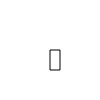
A rectangle is a rectangular shape. It is declared using the rect keyword. It gets passed the x and y coordinates of the top-left corner and the width and height as arguments.
rect(50, 50, 10, 20);
Quads
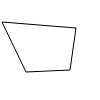
A quad is a quadrilateral shape. It is declared using the quad keyword. It gets passed the x1 and y1 coordinates of the first point, the x2 and y2 coordinates of the second point, the x3 and y3 coordinates of the third point, and the x4 and y4 coordinates of the fourth point as arguments.
quad(50, 50, 100, 50, 100, 100, 50, 100);
Triangles
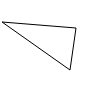
A triangle is a triangular shape. It is declared using the triangle keyword. It gets passed the x1 and y1 coordinates of the first point, the x2 and y2 coordinates of the second point, and the x3 and y3 coordinates of the third point as arguments.
triangle(2, 22, 76, 28, 70, 70);
Arc
An arc is a curved line segment. It is declared using the arc keyword. It gets passed the x and y coordinates of the center, the radius, the start angle, and the end angle as arguments.
arc(x, y, radius, startAngle, endAngle);